Add EcoToken as a custom provider in DeepSeek Harness and call models through the OpenAI-compatible API.
| Base URL | Authentication | Protocol |
|---|---|---|
https://ecotoken.ecophase-ai.com/v1 | Bearer API Key | OpenAI Chat Completions |
01 Prepare access details
Create an EcoToken API key and confirm that it can access deepseek-v4.1-flash. YOUR_API_KEY below is a placeholder.
02 Start DeepSeek Harness
The first run downloads the required package. The default UI is http://127.0.0.1:3080.
npx @deepseek-ai/dsh web03 Add the EcoToken provider
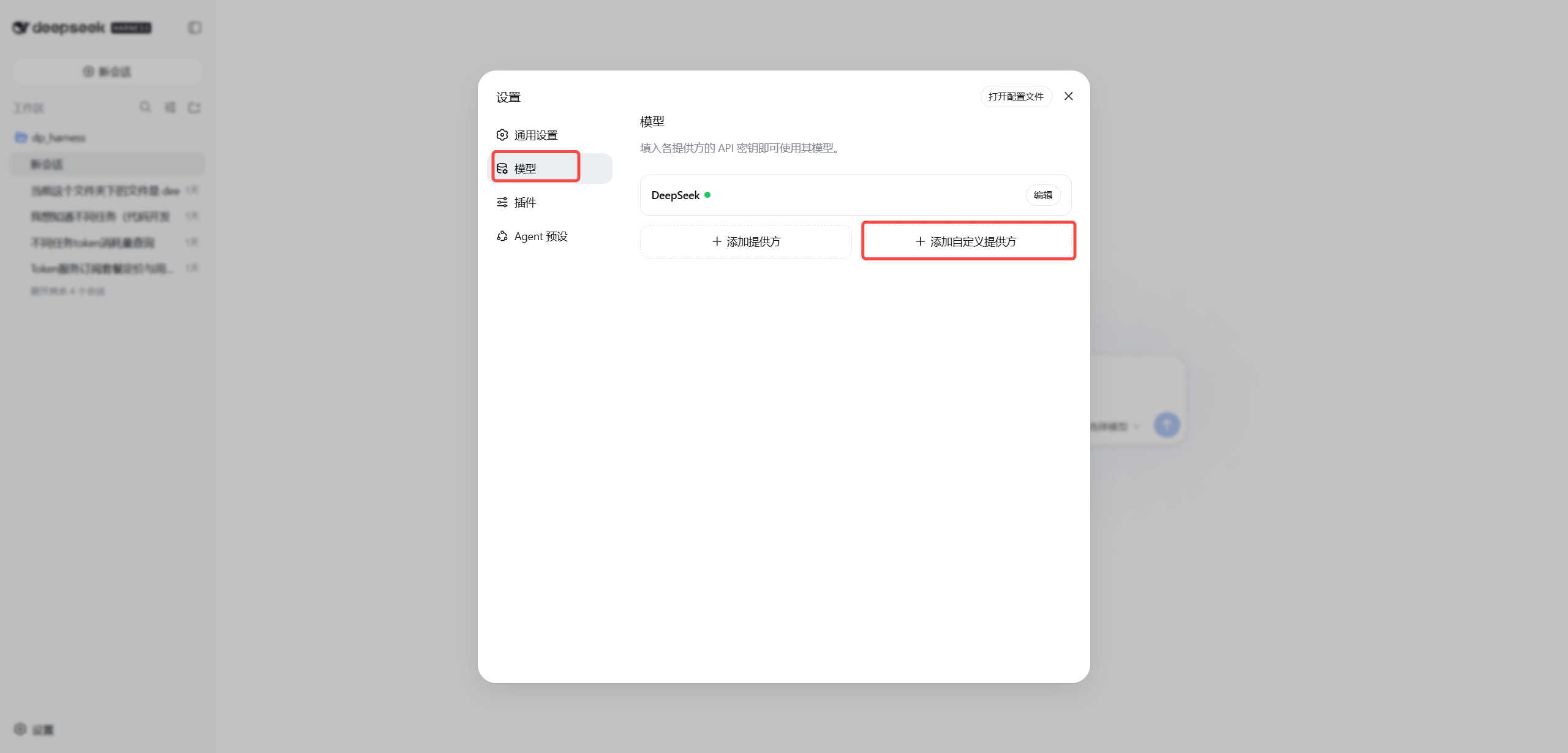
Open Settings → Models → Add custom provider.
Provider ID: ecotoken
Base URL: https://ecotoken.ecophase-ai.com/v1
API protocol: openai-completions
API Key: YOUR_API_KEY
Model ID: deepseek-v4.1-flash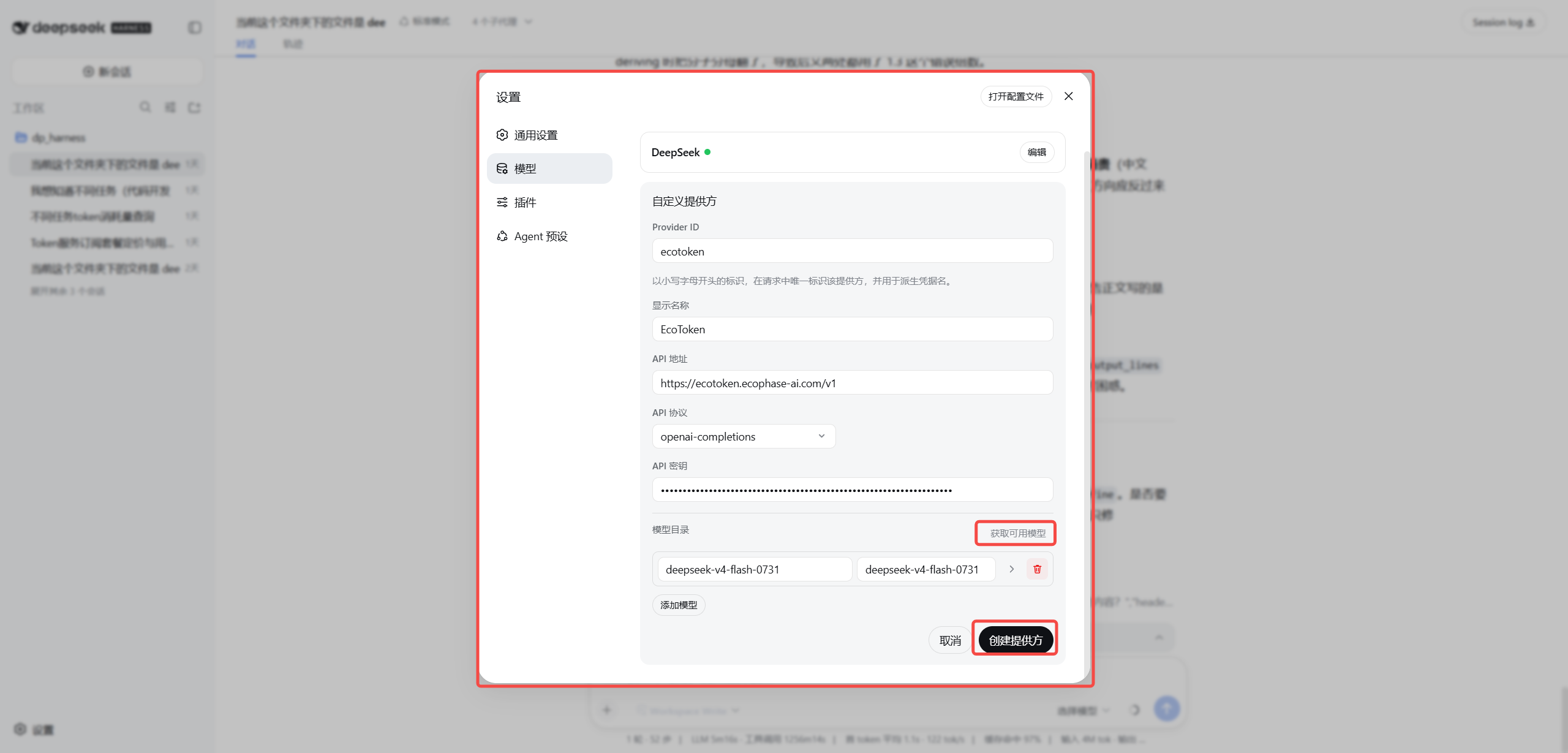
Click Fetch available models, verify that deepseek-v4.1-flash appears, and create the provider.
04 Enable Vision
Open Settings → Models, then select Open config file in the top-right corner.
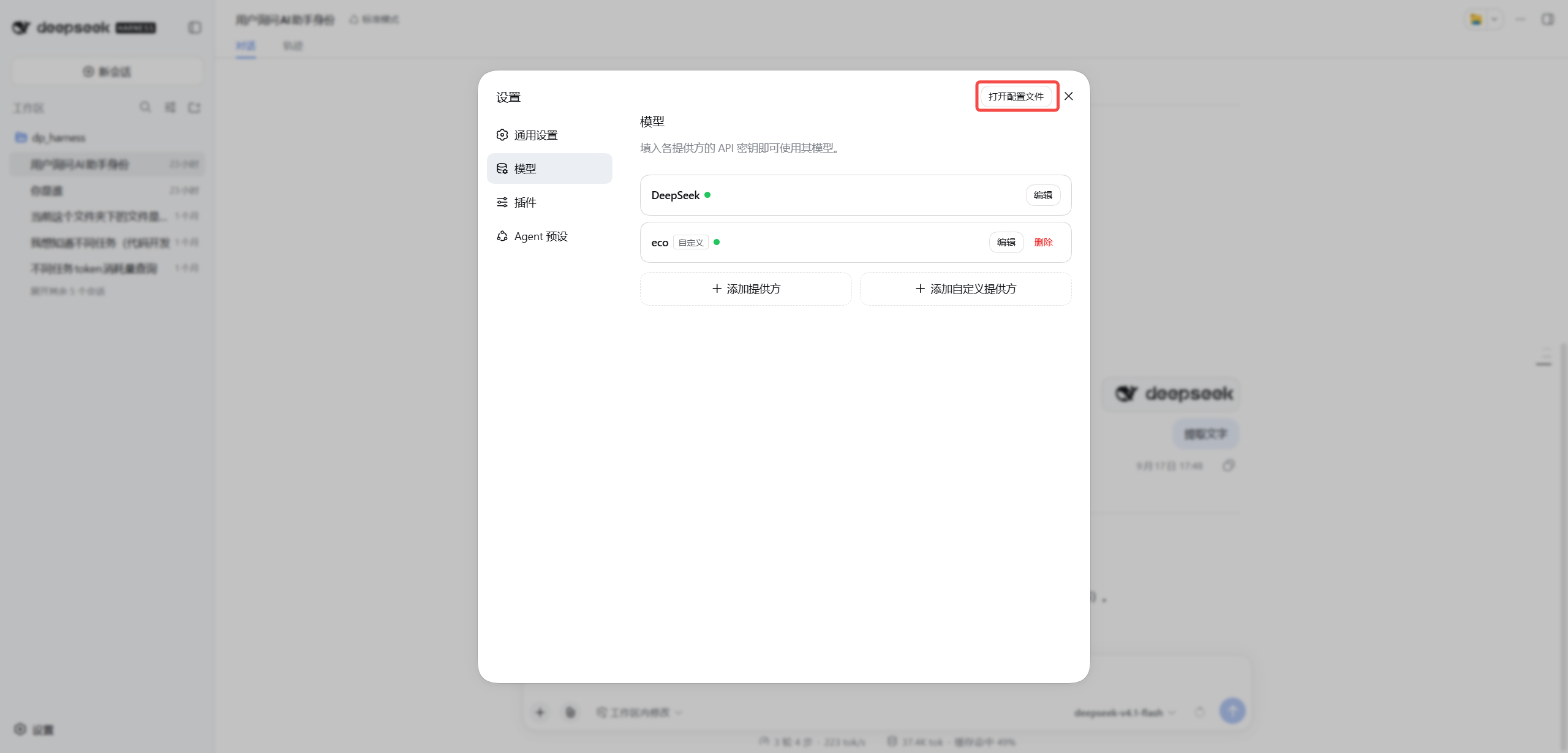
In the opened settings.yaml, find the EcoToken provider you just created and its model entry whose ID is deepseek-v4.1-flash. Add input: [text, image] to that model while preserving the rest of the file.
models:
  - id: deepseek-v4.1-flash
    name: deepseek-v4.1-flash
    input: [text, image]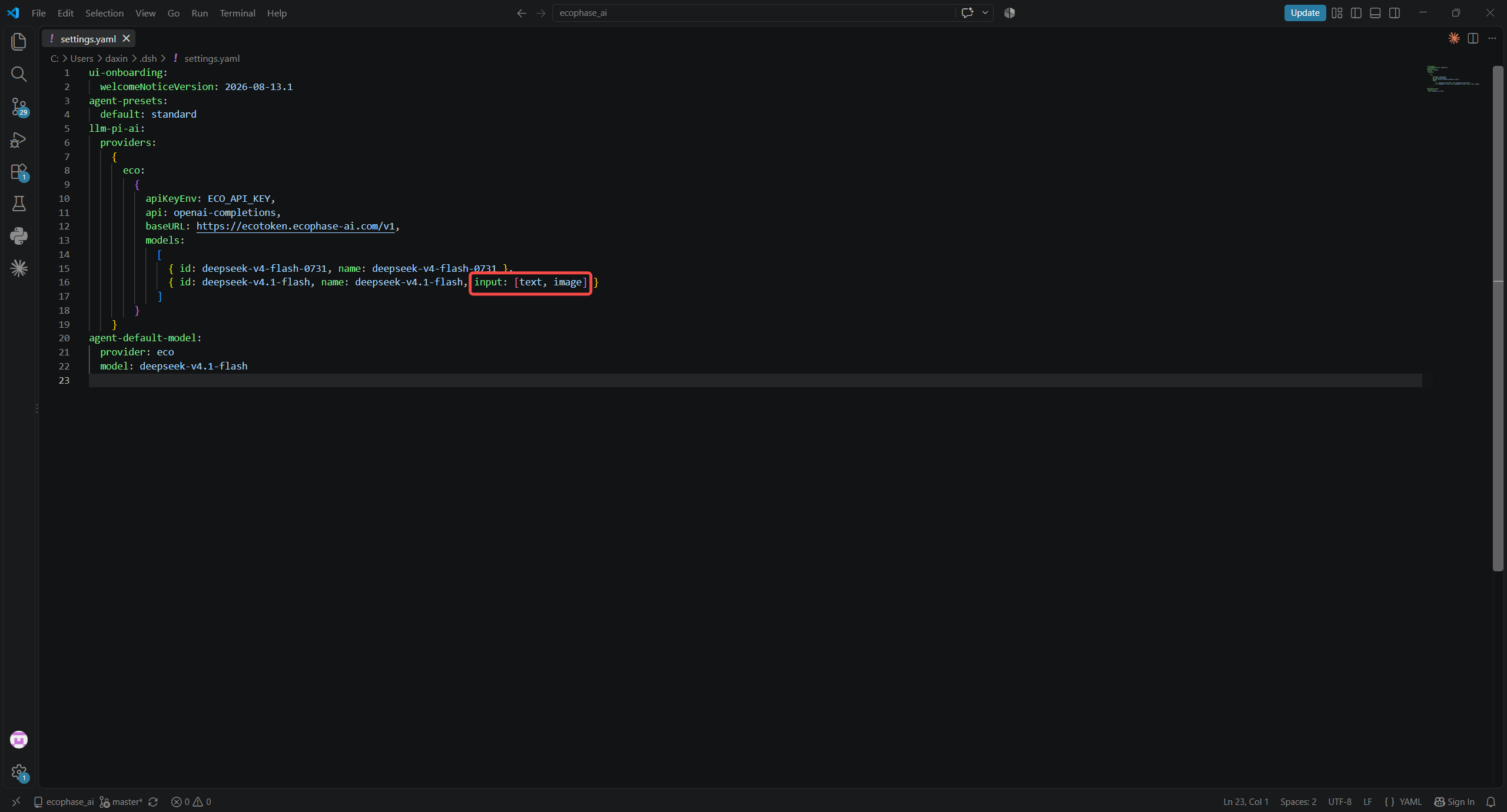
Save the file and restart DeepSeek Harness. You can then paste or upload an image in a conversation and ask a question about it.
05 Select the model and verify
Return to the main view and select deepseek-v4.1-flash under EcoToken.
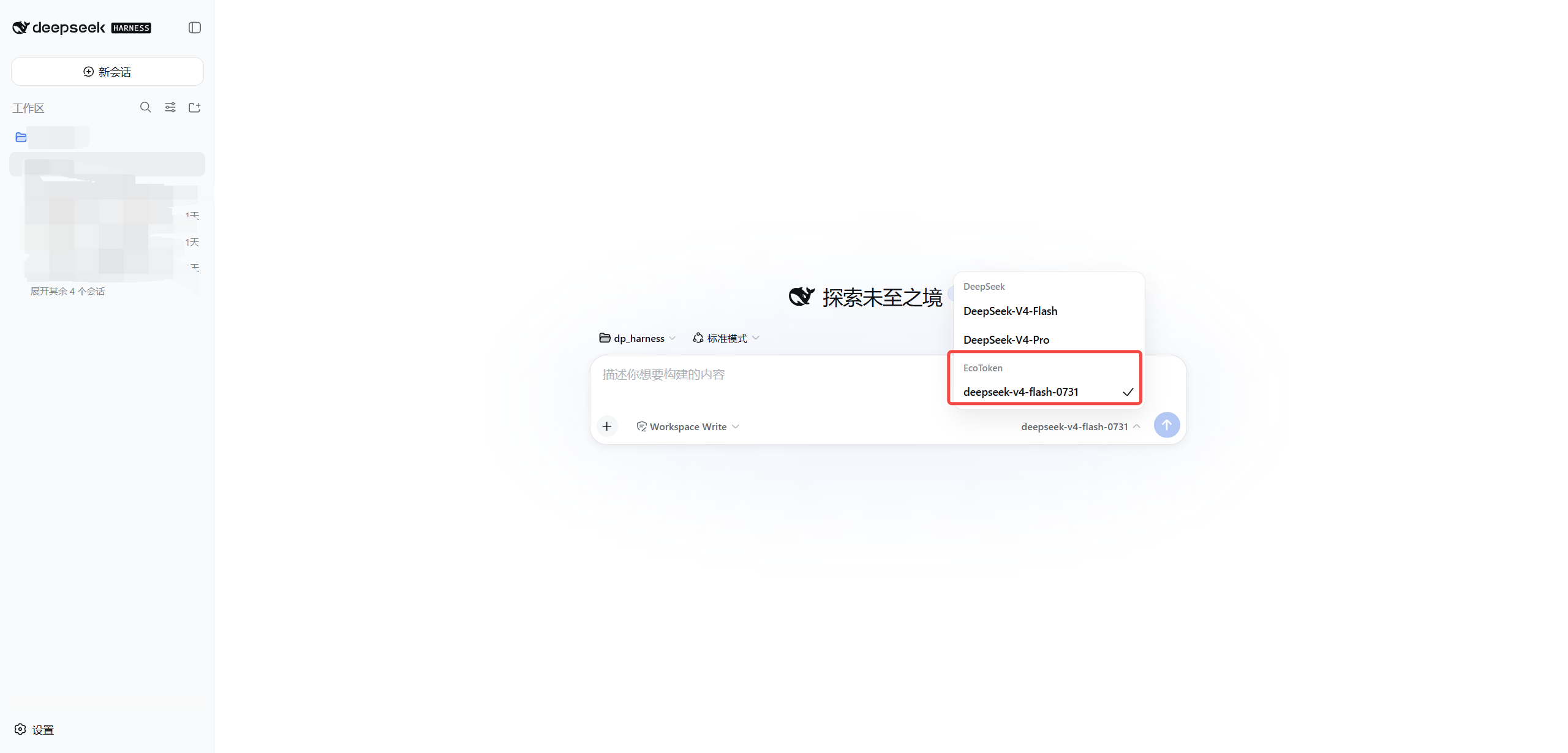
Send a short prompt. A model response and a matching entry under Usage & costs → Request records confirm the integration.
06 Common errors
401: Check that the key is complete and active.403: Check the key group, model permission, account state, and gateway policy.model not found: The model ID must exactly match the EcoToken console value.