Connect Hermes Desktop and Hermes CLI to EcoToken through a Custom endpoint.
| Base URL | Authentication | Protocol |
|---|---|---|
https://ecotoken.ecophase-ai.com/v1 | Bearer API Key | OpenAI Chat Completions |
01 Prepare access details
Create an API key that can access deepseek-v4.1-flash. YOUR_API_KEY is a placeholder.
02 Install Hermes
Version v0.20.0 or newer is recommended. The installer supports Linux, macOS, and WSL2.
curl -fsSL https://raw.githubusercontent.com/NousResearch/hermes-agent/main/scripts/install.sh | bash03 Option one: EcoToken configuration tool
Windows uses %LOCALAPPDATA%\hermes\config.yaml; macOS, Linux, and WSL use ~/.hermes/config.yaml. An existing file is backed up with .ecotoken.bak.
npm install -g @ecophase-ai/ecotoken04 Option two: Hermes Desktop
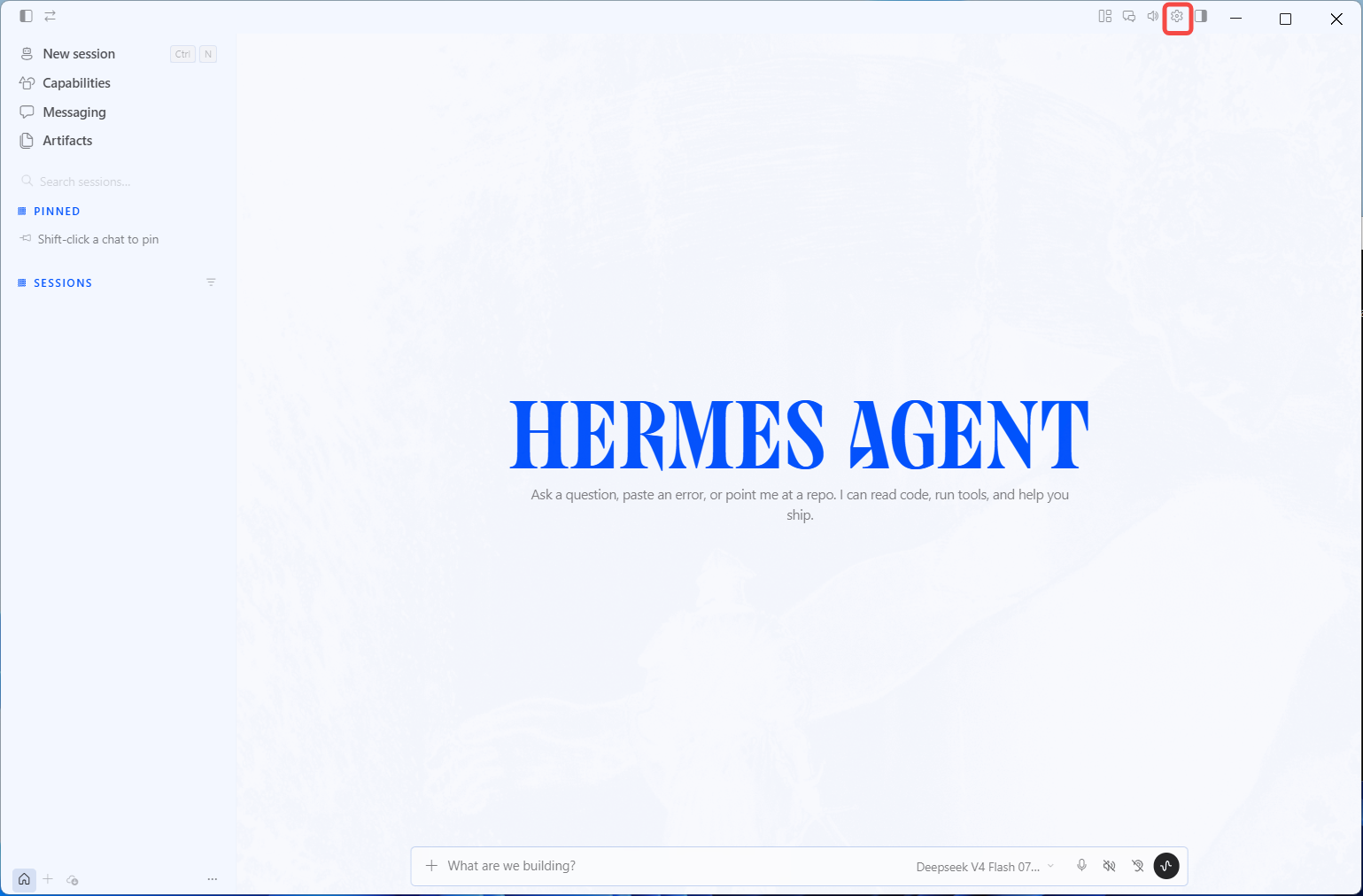
Open Settings → Providers → API keys from the gear in the top-right corner.
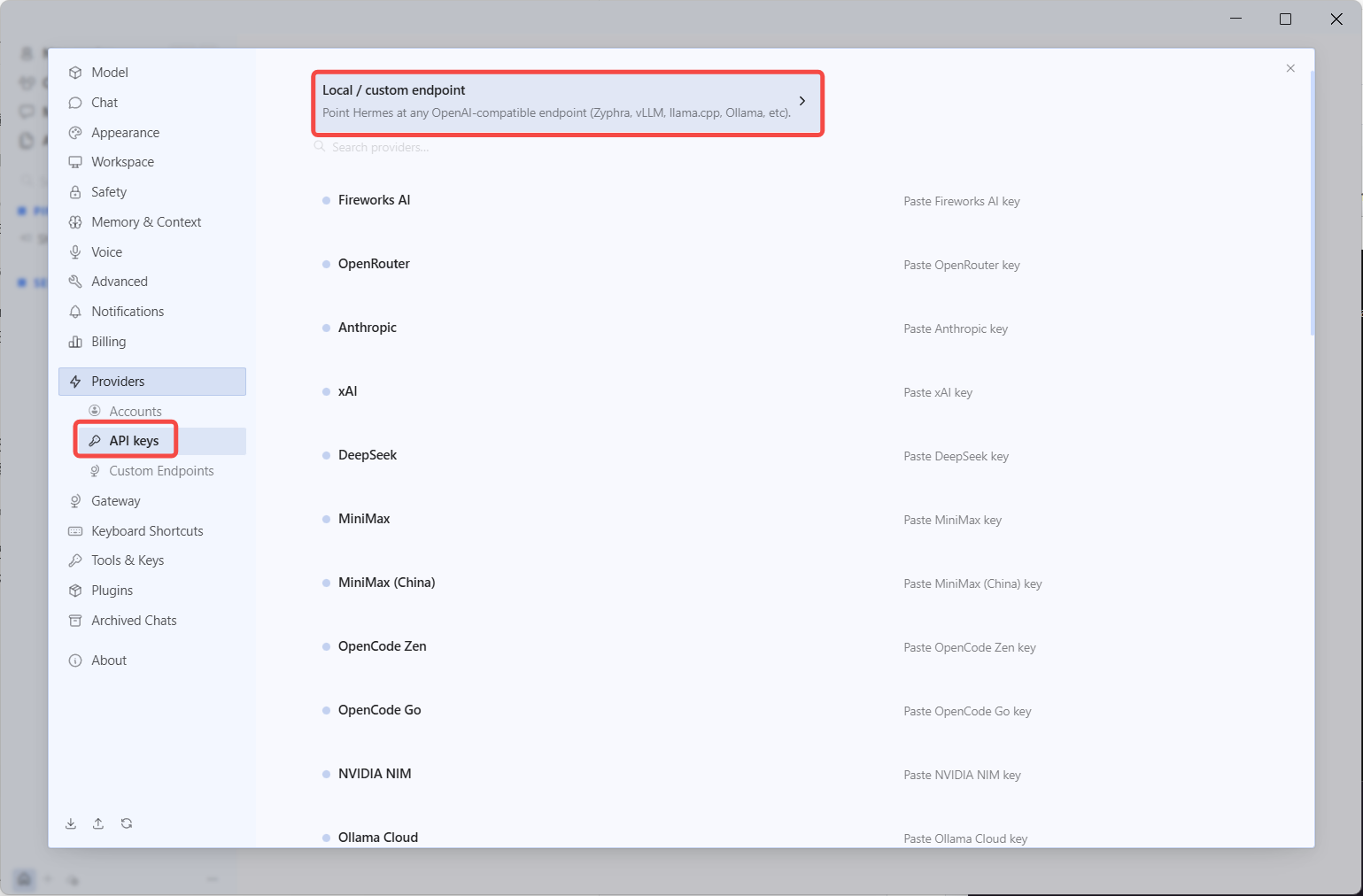
Choose Local / custom endpoint.
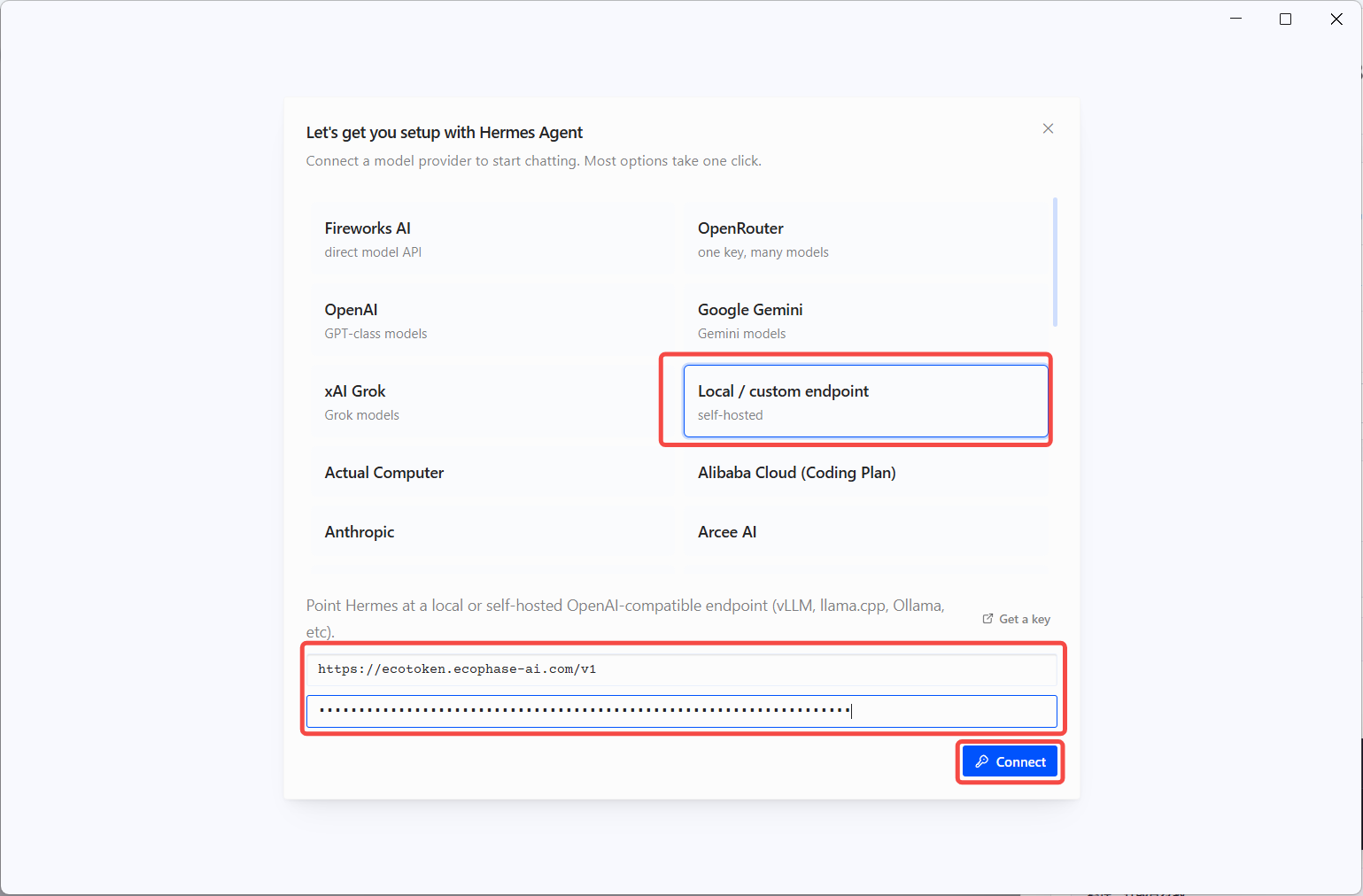
Enter the EcoToken Base URL and API key, then select Connect.
Provider: Custom endpoint
API mode: OpenAI Chat Completions
API base URL: https://ecotoken.ecophase-ai.com/v1
API key: YOUR_API_KEY
Model name: deepseek-v4.1-flash
Context length: 1048576
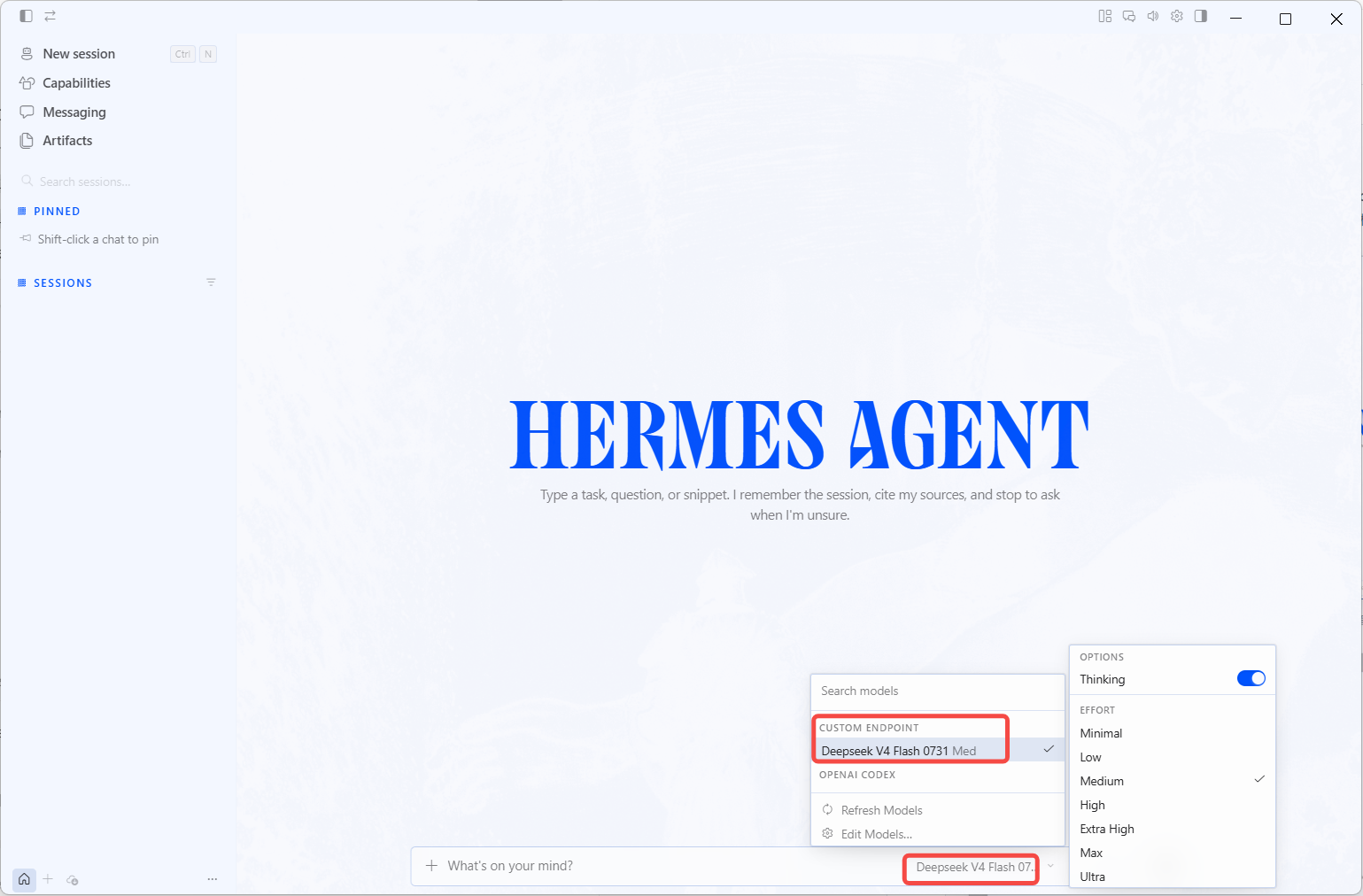
Select deepseek-v4.1-flash under Custom Endpoint in the bottom model selector.
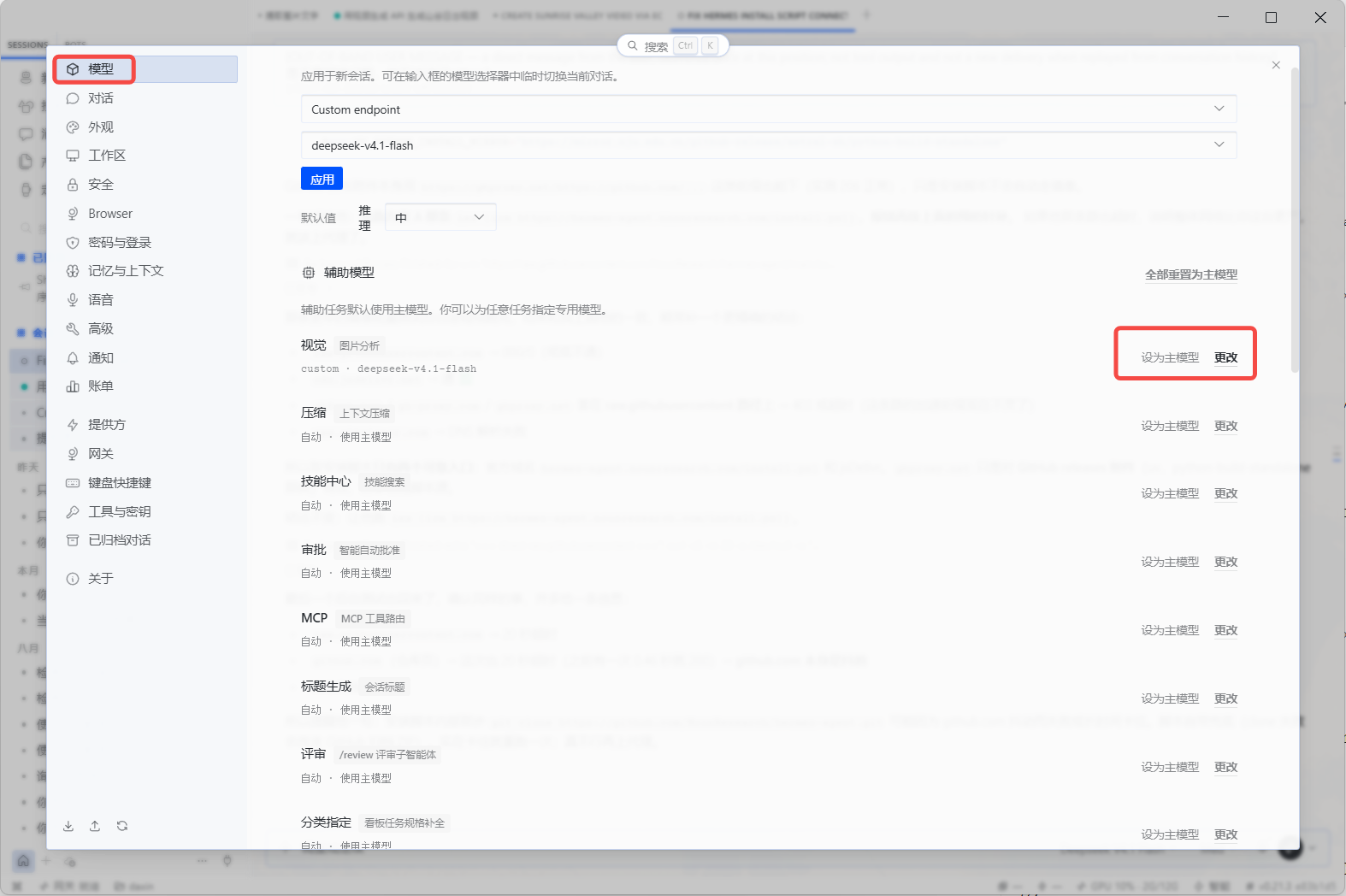
Enable Vision
Open Settings → Models. Under Auxiliary models, find Vision (Image analysis) and select Change.
Set the Vision provider to Custom endpoint, select deepseek-v4.1-flash, and then select Apply. The reasoning level can inherit the main model setting.
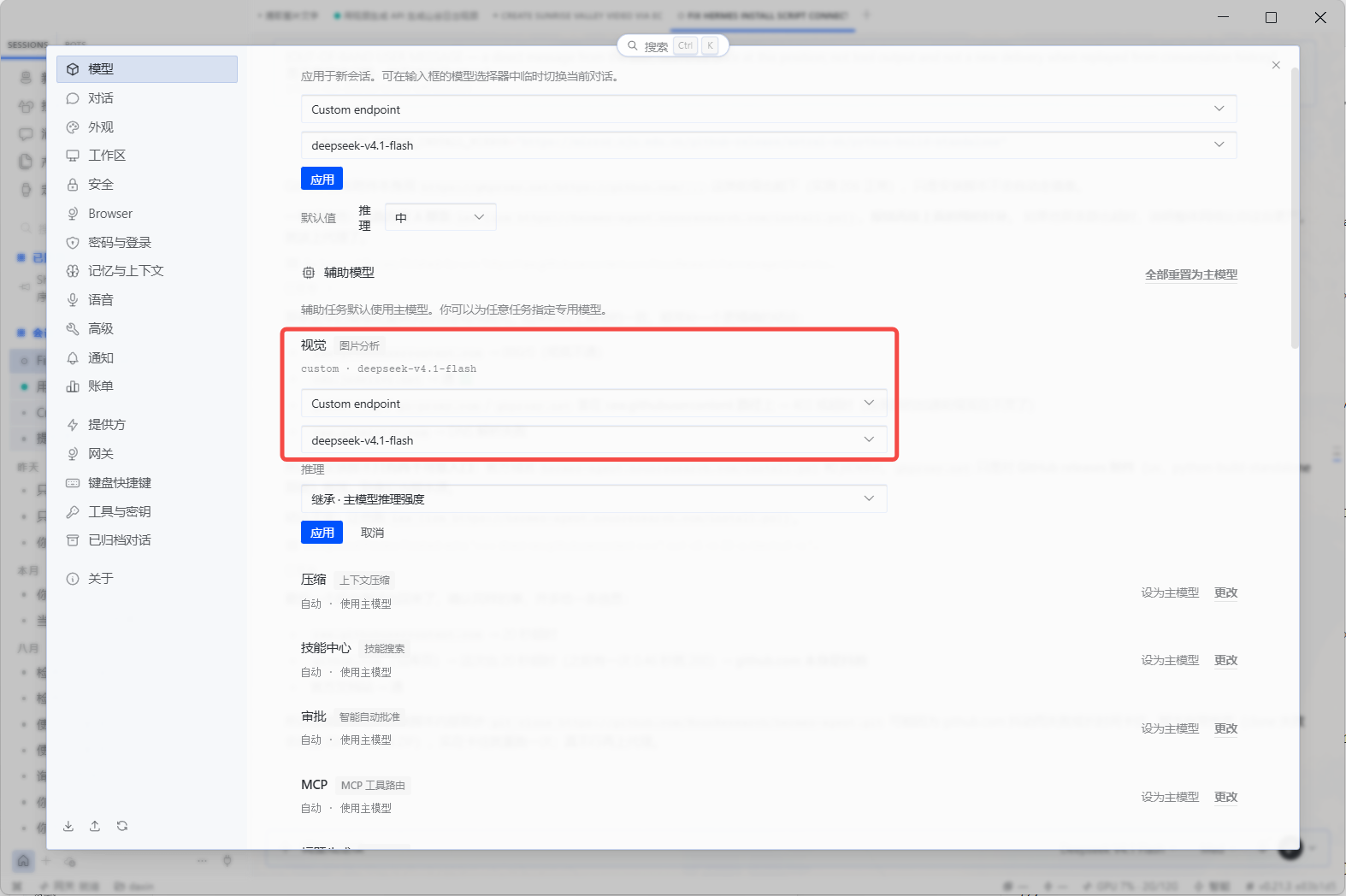
You can now paste or upload an image in a Hermes conversation and ask a question about it. Both the main model and the Vision auxiliary model should point to deepseek-v4.1-flash.
05 Option three: Hermes CLI
Run the model wizard and choose Custom endpoint.
hermes model

# Provider: Custom endpoint
# API mode: OpenAI Chat Completions
# API base URL: https://ecotoken.ecophase-ai.com/v1
# API key: YOUR_API_KEY
# Model name: deepseek-v4.1-flash
# Context length: 1048576
Hermes Desktop and CLI share configuration, keys, and sessions.
06 Launch and verify
hermes desktopA model response and matching entry under Usage & costs → Request records confirm the integration.
07 Common errors
401: Check that the API key is complete and active.403: Check the key group, model permission, and account state.model not found: The model name must exactly match the EcoToken console.